Simple Tech Setup for Your First Virtual Workshop
 Lyric Kinard
You need less than you think. Here is exactly what you actually need.

One of the most common reasons creative teachers don't launch their first virtual workshop is technology.
Not because the technology is actually difficult. Because the idea of figuring it out feels overwhelming, and when something feels overwhelming it is very easy to keep put it off, hoping the feeling goes away.
It usually doesn't go away on its own. But it does go away the moment you actually sit down, open Zoom, and do a test call.
Here is everything you need for a first virtual workshop, and nothing you don't.
The Complete List: Four Things
1. A computer
Your laptop or desktop and wifi need to be stable enough to host a Zoom workshop and you’ll need to be able to see your students.
2. A camera and holder
The camera on a current smartphone is genuinely good enough to teach a live Zoom workshop. In many cases it is better than a separate webcam. Find a phone holder you can leave in place that doesn’t get in your way. It doesn’t have to be expensive. Students in your first workshop are not paying for production quality. They are paying because they want to learn from you. A clear, steady shot of your face and your work is everything.
If you want to upgrade eventually, a dedicated webcam or a phone mount that keeps your camera stable are both worthwhile. But for a first workshop, your phone is enough.
3. Audio
This is the one place where a small investment makes a meaningful difference if you don’t have a quiet workspace. Built-in laptop microphones work, but they pick up room noise and require you to stay close to the computer. A simple lapel mic that plugs into your phone or laptop costs between fifteen and forty dollars and solves the problem cleanly.
Clear audio is the single most important production value in an online class. If students struggle to hear you, they disengage. Everything else is secondary.
4. Light
You don't need a ring light or a lighting kit for your first workshop. You need a window.
Sit facing a window, not with a window behind you. The natural light will fall on your face and your work in a way that looks good on camera and costs nothing. If you're demonstrating a textile technique or showing close detail work, position your materials so the light falls across them without harsh shadows.
5. A platform
For a first live virtual workshop, Zoom is the right choice. Your students already know how to use it. You can share your screen, switch camera views, use a waiting room, chat, and polls. You don't need to learn anything unfamiliar. You need to learn Zoom, and Zoom is learnable in an afternoon.
Computer, camera, audio, light, Zoom. That is the complete setup.
Why Teachers Overcomplicate This
When a teacher tells me they're not ready to teach online because they still need to figure out their tech, I ask: have you done a test Zoom call recently?
Almost always, the answer is no.
Because the moment you do the test call and see that you look like a normal person and sound clear and professional, the tech excuse disappears. And what's underneath it is usually something closer to: what if I open registration and only three people sign up? What if it isn't perfect?
That's not a tech problem. That's a very understandable fear about being seen and evaluated.
But here's what actually happens with three students in your first workshop. Those three people are there because they specifically wanted to learn from you. They are your warmest possible audience. They will give you feedback that makes the next workshop better. They become the foundation of your teaching reputation and often return for every workshop you run afterward.
Three people is not a failure. It is a really good place to begin.
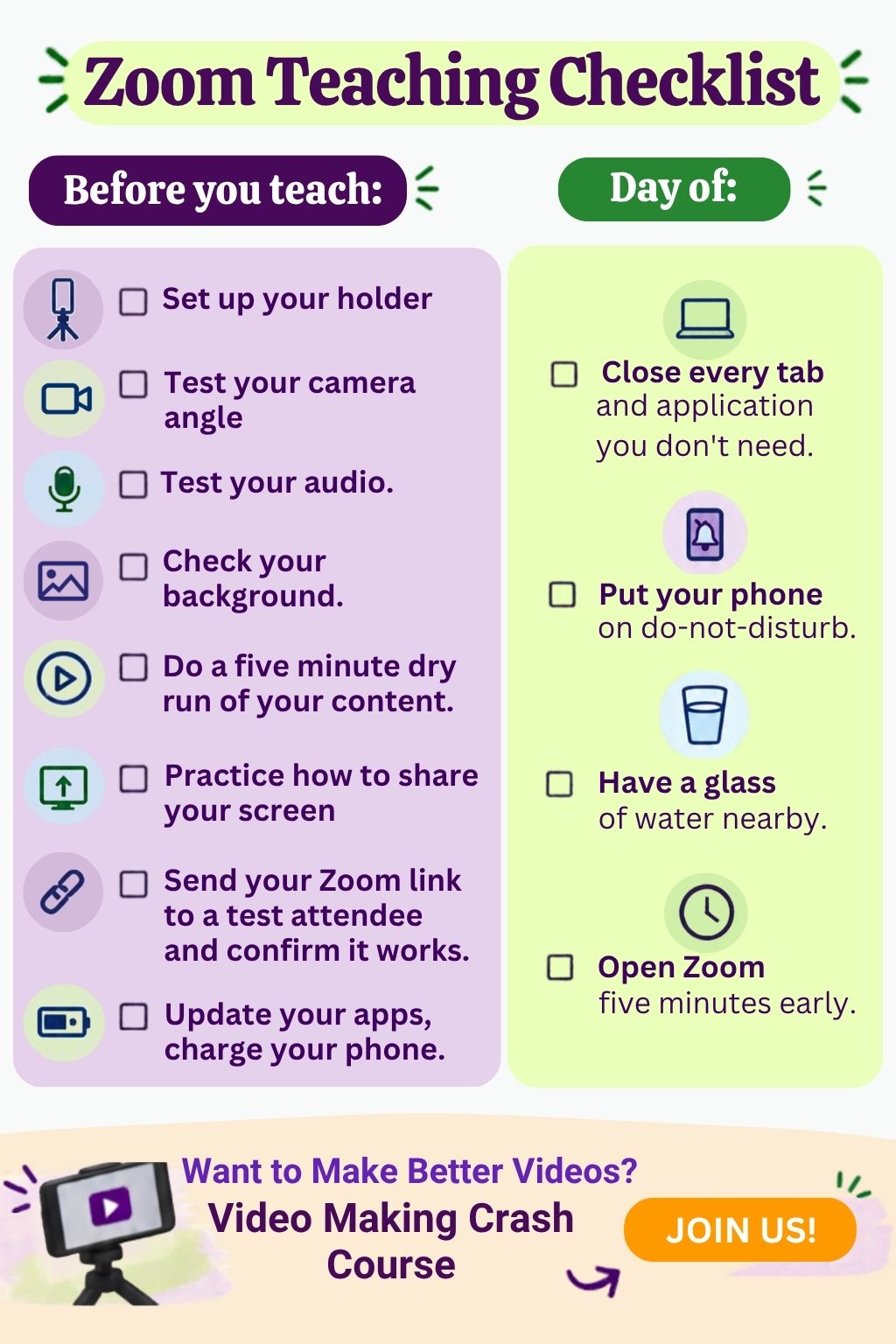
A Simple Pre-Workshop Tech Checklist
Before you teach:
Test your camera angle on a Zoom call. Can you see your face and your work area?
Record yourself speaking for thirty seconds and play it back. Is the audio clear?
Check your background. It should be tidy, not styled.
Do a full dry run of your opening five minutes, recorded, while you're alone.
Confirm you know how to share your screen and switch between camera views.
Send your Zoom link to someone and confirm it works before the day of.
Charge your phone and make sure your operating systems and Zoom apps are updated.
Day of:
Close every tab and app you don't need.
Phone on do-not-disturb.
Glass of water nearby.
Open Zoom five minutes early.
Frequently Asked Questions
Do I need a ring light? Not for your first workshop. A window facing you gives better, more natural light than most ring lights. If you're teaching in a space without good natural light, a simple LED panel (around thirty to fifty dollars) is worth it eventually, but don't let the absence of one stop you from starting. And, a ring light is a no-go if you wear glasses.
What Zoom plan do I need? The free Zoom plan limits meetings to 40 minutes for groups of three or more. For a workshop, you'll want at least the basic paid plan, currently around fifteen dollars a month. Check Zoom's current pricing before you sign up since it changes periodically.
Should I record my workshop? Yes, with your students' knowledge and consent. A recording gives you material to review, content you might offer to students who missed a session, and eventually the foundation of an on-demand version of the same workshop. Record from the start.
What if my internet drops during class? Have your phone available as a hotspot. Before class, text or email your students a backup contact method so they know what to do if you disappear. Most students are understanding when tech issues happen, and how you handle it tells them a great deal about you as a teacher.
What platform should I use to take payment? Keep it simple for a first workshop. A PayPal invoice, a Square link, or a simple checkout page is enough. The goal is to get paid before the event, not to have a perfect system. You can build a more elegant system once you've run a few workshops and know what you actually need.
I'm nervous about being on camera. Will that go away? Yes. Not completely, but significantly, and faster than you expect. The nervousness that feels paralyzing before you start becomes manageable discomfort after your first session and background noise by your third or fourth. The only way out is through. Press record.
Ready to Go Deeper on Video?
If filming is still the piece that feels like a brick wall you can’t get over, the Video Making Crash Course covers everything beyond the basics: recording for on-demand content, editing simply and efficiently, creating promotional videos that help people find your workshops, and building the confidence on camera that comes from actually understanding what you're doing and why.
Come Talk About This
The AVT free membership community is where creative teachers talk through exactly these questions. What camera. What mic. What to do when the tech goes wrong mid-class. What actually worked for the first workshop and what you'd do differently.
Simple is better than perfect. Done is better than beautiful. Your first workshop doesn't need a professional studio. It needs you, a window, and a Zoom link. Start there.
Categories: : Monthly Theme